Free shipping over 200 €
Cart is empty
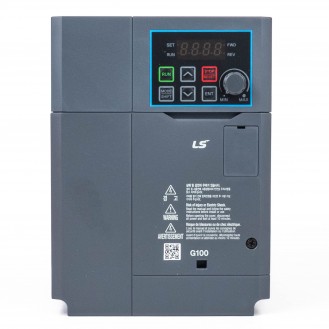
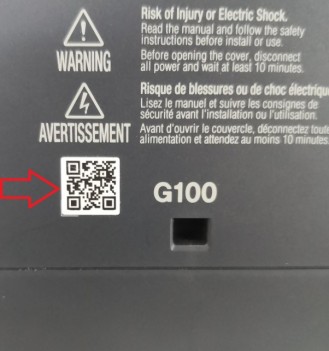
All new frequency inverters and other LS Electric products have a barcode printed on the housing.
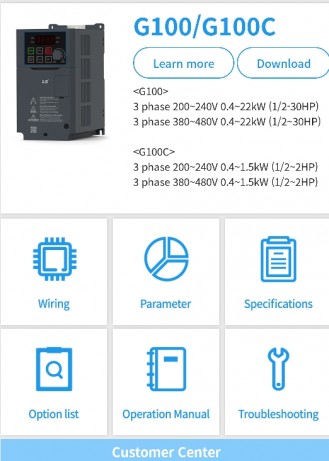
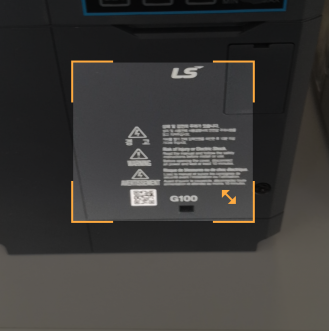
Example for frequency inverter model G100:
Step no. 1:
Find the barcode, that is usually printed on the front of the frequency inverter.
Open the application - QR (barcode) reader on your mobile phone. If you do not have this application, you can download it for free from the mobile store (App. Store or Google Play store).
Step no. 2:
Open the app and point the box that appears on the screen to the barcode so that it covers all the edges.
Step no. 3:
After successfully reading the barcode -QR code, a window with an active link will open.
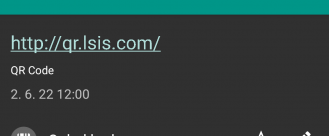
Tap the link that appears on the screen.
Step no. 4:
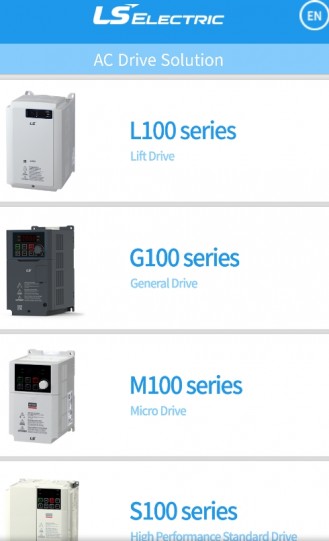
After successfully confirming the connection, a website will open, where you can select the appropriate frequency inverter that you are using.
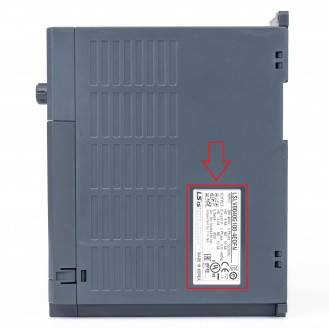
How to find the model of the frequency inverter you are using?
In addition to the barcode, the frequency inverter model is usually listed. The model label/information can also be found on the left or right side of the frequency inverter, where the data plate is located.
Step no. 5:
Select the appropriate frequency inverter and you will be shown a website, where you can download the relevant documentation (manuals, wiring, parameters, etc.) for your product.